

Words of advise.
I trolled the net to find some simple advise.
If you have a foretrex 201. Make sure the serial cable is plugged completely in to the adaptor/connector that is attached to the unit. There should not be any silver showing on the plug. It's a tight fit and you do need to use some moderate force.
Then buy a mac.
Then plug the cable into any usb adaptor and connect to google earth. Select tools GPS and select garmin.
Your tracks waypoints and routes are there and done.
If I had read this six weeks ago I could have saved heaps of time at Dick Smith and farting around trying to get it to work.
Still doesn't work on the PC Windows laptop.
Scott
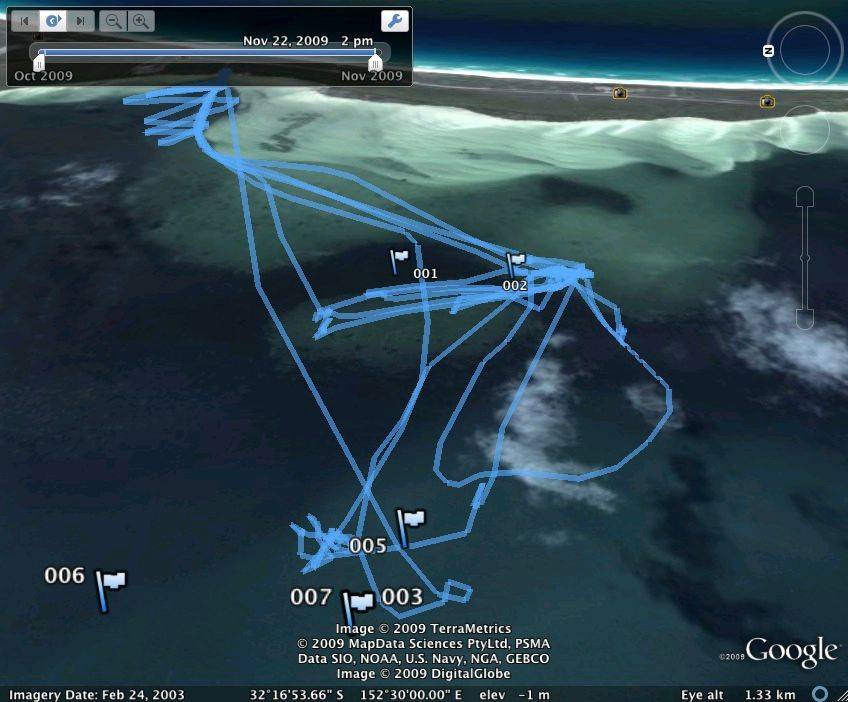
Have been able to download maps and waypoint but would like to be able to download speed as well. Does anyone know of a program that can do that - thanks in advance