

I had an idea tonight.
I saw this site: www.magictoolbox.com/magic360/
I'd like to do something like this, its a small part of a masterplan for world domination.
The problem is that I'd need to get an automated spinning susan and a camera and I'd like to automate the process as much as possible - I'd like to have the ability to photograph hundreds of products in a home studio with the same result.
There are 36 images in the example above - each taken at 10 degree intervals.
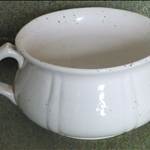
Below is an example of what I'd like to achieve:
Say I had an automated lazy suzan that I'd put the product on and it rotated once in 6 minutes (360 seconds) and I had a camera that had the ability to take a still photo every 10 seconds - that would give me what I need - 36 photos at 10degree intervals.
Where would I find a lazy suzan device that I could program to spin at a defined speed?
What camera could I program to take shots at defined intervals?
Is there a better way to get the same output - ie video the product spinning and take every nth frame?
If you've got a camera with remote control ability, you could just use sensors where you want the picture. save you all the trouble of getting spin speed and camera timing right.
Use an electric motor to drive a belt on the rotating platform.
A potentiometer will get the voltage right and thus adjust speed.
An electronics whizz could rig a crank angle sensor from a car that measures the rotational angle and fires the camera every 10 degree.
Alternately, 36 switches around the outside that fire the camera on contact but that's getting messy
attatch an encoder and 0 degree calibration sensor to the shaft of the lazy susan, Digital/Analog input to PLC using set angle/process variable on the Logic, to send an digital/analog output to camera trigger.
As long as you can set the shutter speed fast enough you could take photos at any predetermind angle/time set up in the PLC logic
This was posted some time ago;
www.seabreeze.com.au/forums/General-Discussion/Chat/Cheap-and-cheerful-GoPro-time-lapse-pan/?SearchTerms=cheap,and,cheerful
Don't know if you can use something like it, but it's on the cheap if it will work
Hi Adolf,
This stuff has been around for a while.
We used to do it with cars in an infinate white studio and the cars were put on a giant lazy Susan. This app is ok but there are apps out there that give you 360' vertical movement as well as horizontal- which allows you to rotate the object completely around to see the top and bottom.
In terms of triggering a shutter release with a minor increment of movement, do a web search for Mumford Time Machine Photography. These guys build all sorts of timelapse, micro/ slow motor and trigger mechanisms.
No,
but it was a good invention, and I'd love to go back to Tonga. Thanks for the vid all the same.
Pretty sure ImageJ could extract the images from a video of the product rotating - it's free and they get some impressive stuff out of it
Thanks breezers.
I'm going to get to work on a cheap prototype using:http://www.ebay.com.au/itm/HLDR4-PWM-DC-Motor-Speed-Regulator-Controller-4A-11-16V-/350409771164?pt=AU_B_I_Electrical_Test_Equipment&hash=item51960cc89c
www.bunnings.com.au/products_product_12v-rotisserie-kit_6116.aspx
and one of these iphone apps:
appadvice.com/appguides/show/time-lapse-photography-apps
Im a bit simple but why dont you just take a video of the item while it spins? Then it would just be a case of editing the footage. Given the amount of good quality go pro footage on here Im sure some one can point you to the best editing software?
^^^ Ted the Kiwi, you get a green thumb from me for your 'free-cycling', good on ya
Good to hear Adolf......by the way my garage is very clean at the moment - the GF made me clean it last weekend - I could have located it in seconds!!!!
I look forward to seeing your contraption in action. I put together a time lapse setup for the go pro using an egg timer as suggested above and have been blown away by its results.
1. Buy a light box (or make one)
2. Take photo
3. Put hand in light box. Turn product.
4. Repeat 2-3
You're totally kidding about the motor and stuff, right?

Done this for work, for taking measurements from a transmitting device at all angles. Used a PC-controlled stepper motor to drive a turntable at the time. If I had to do it now, would use an Android phone to take the pictures and drive the stepper through the USB connector via Arduino. No need for angle sensors or a PC with this approach. Remember to set the camera to manual to ensure same exposure for all pics.