
Woo! New site is online - select here to use it!


Forums > General Discussion   Shooting the breeze...

tec support

Reply
Created by busterwa > 9 months ago, 2 Feb 2010
busterwa
3782 posts
2 Feb 2010 5:22PM
Thumbs Up

hey when look at the site all my resolution is wrong everthing is zoomed in how do i fix it?" i think my dip**** brother and his dickless mate did somthing to my computer
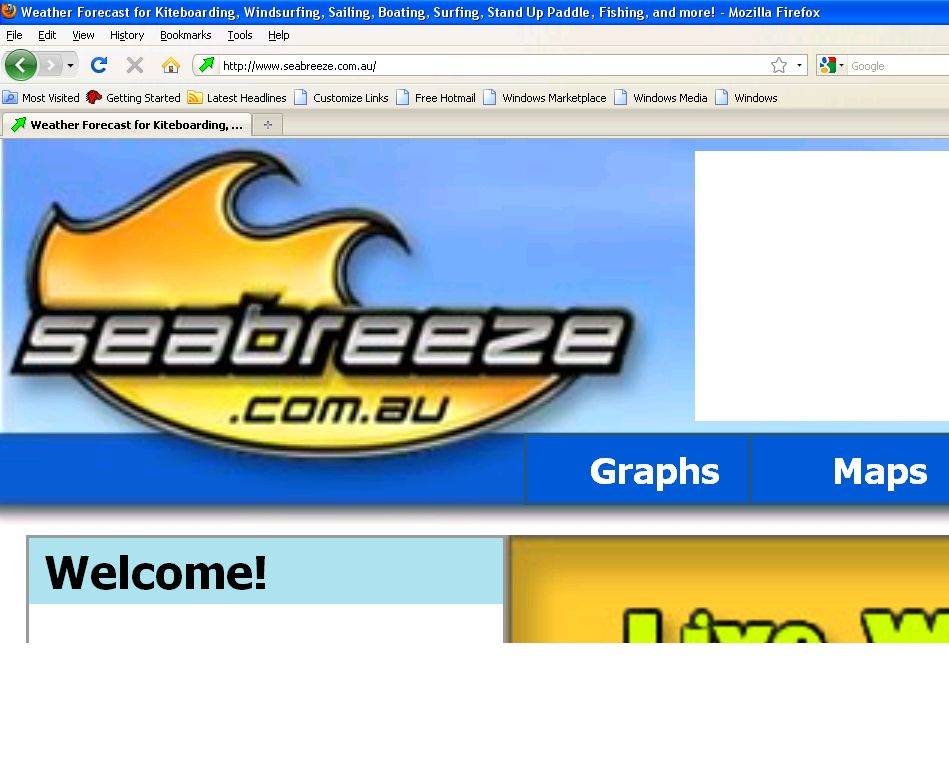
ill post a pic
Anyideas on how to fix it ?

doggie
WA, 15849 posts
2 Feb 2010 5:32PM
Thumbs Up

Ok, down the bottom right hand of your screen/browser it will say 100% with a little magnifying glass next to it, looks like its set to 150% click that button.

If thats not the prob go into properties and reset the resolution.

Gizmo
SA, 2865 posts
2 Feb 2010 8:03PM
Thumbs Up

Try in the bottom right just above the clock adjust the "zoom level" back to 100%

KEARNSY
WA, 1322 posts
2 Feb 2010 5:33PM
Thumbs Up

is there a zoom switch on the side of your keyboard by any chance?

curlyjimbo
VIC, 75 posts
2 Feb 2010 8:43PM
Thumbs Up

If you have a scroller in the center of your mouse, hold ctrl, and scroll to make things bigger or smaller!

doggie
WA, 15849 posts
2 Feb 2010 5:46PM
Thumbs Up

curlyjimbo said...

If you have a scroller in the center of your mouse, hold ctrl, and scroll to make things bigger or smaller!


Wow that works, nice

Cassa
WA, 1305 posts
2 Feb 2010 6:23PM
Thumbs Up

I liked your first post better, shame it got canned

GalahOnTheBay
NSW, 4188 posts
2 Feb 2010 9:44PM
Thumbs Up

Hold down control and press the zero key - hey presto fixed.

As for the previous post this one is definitely more constructive

busterwa
3782 posts
2 Feb 2010 7:18PM
Thumbs Up

It worked thankyou
sorry galah and site admin
people on my computer can then stick to reading rather than posting.Things get pretty crazy when the friends fly in from up north






Subscribe
Reply

Forums > General Discussion   Shooting the breeze...


"tec support" started by busterwa